Open Source · VS Code Extension

See your agents think.

The open-source visual debugger for LangGraph agents. Watch execution flow through nodes in real time, step through decisions, and inspect state — all inside VS Code. No cloud. No accounts. Free forever.
Install for VS Code Star on GitHub VizLang on Product Hunt
hero-graph-view

LangGraph agents are powerful.
Debugging them is not.

You build complex agent workflows with conditional branches, tool calls, and human-in-the-loop. Then you debug with print statements.

👁

Can't see the flow

Your agent's architecture exists only in code. You trace execution by reading logs line by line.

🛑

Can't pause and inspect

When something goes wrong, you add print statements, re-run, and hope the output tells you enough.

Cloud-first tools

LangSmith is great for production. But for local development, you want something that runs right in your editor.

Graph Canvas

Your agent's architecture,
at a glance

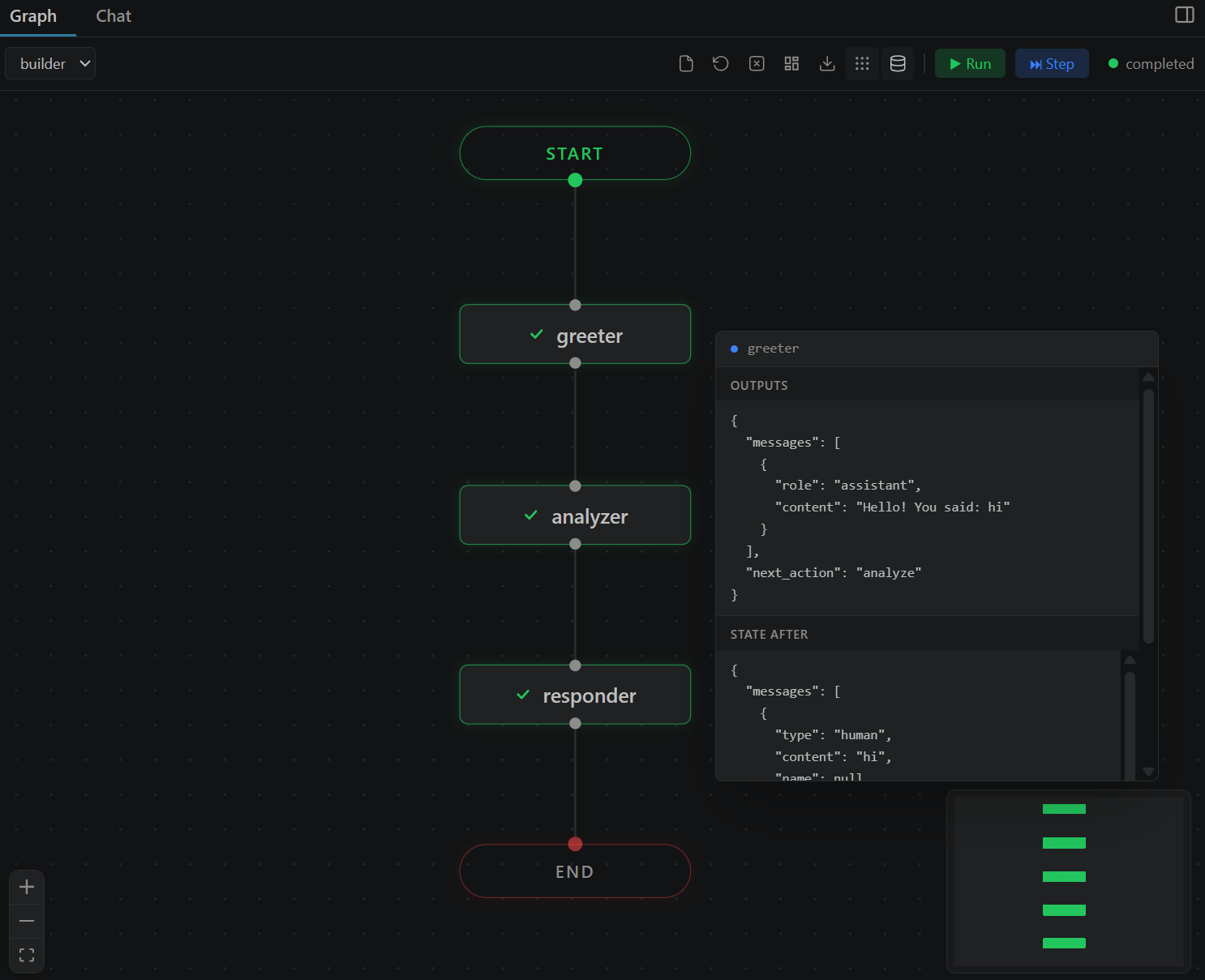
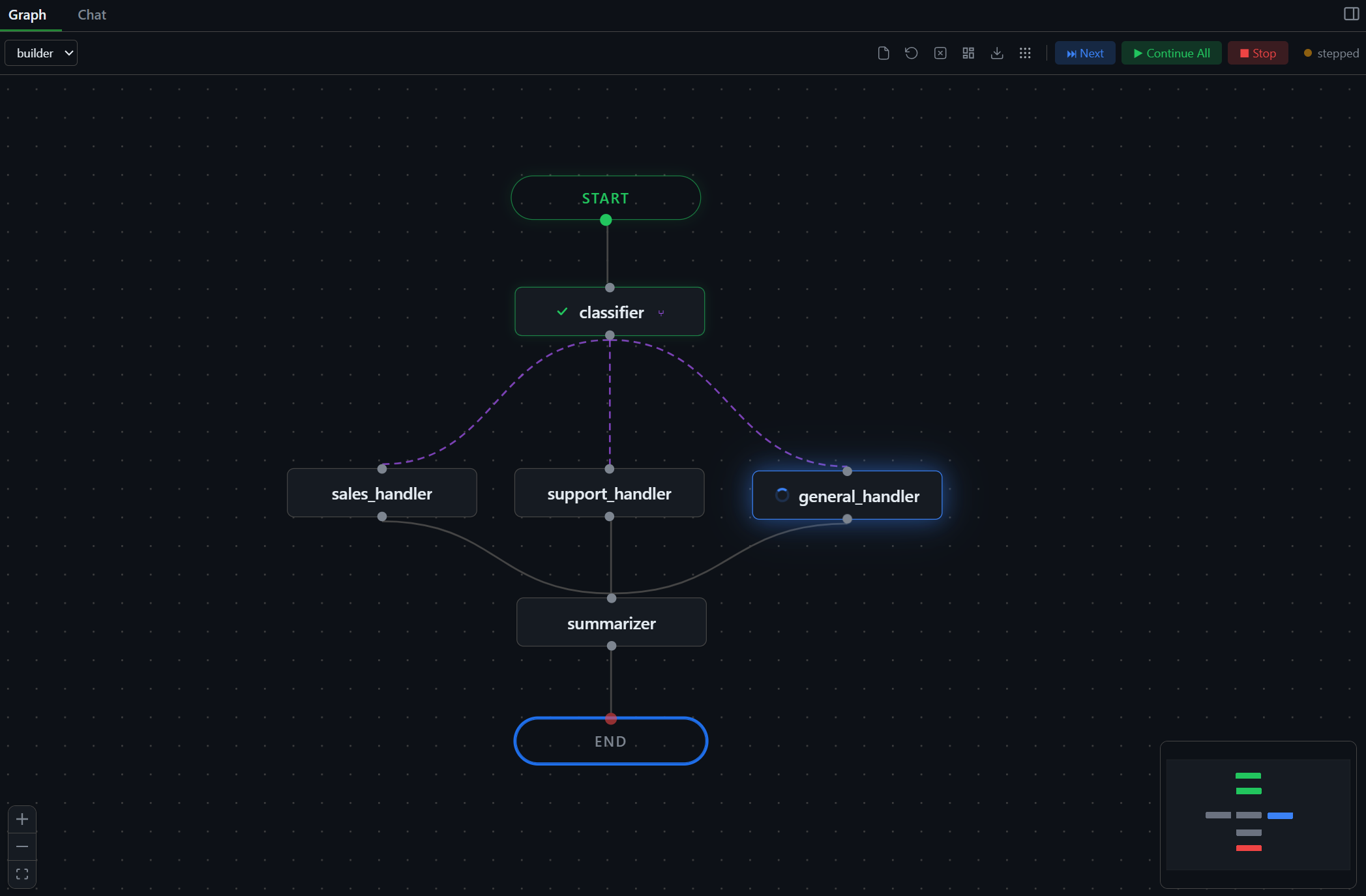
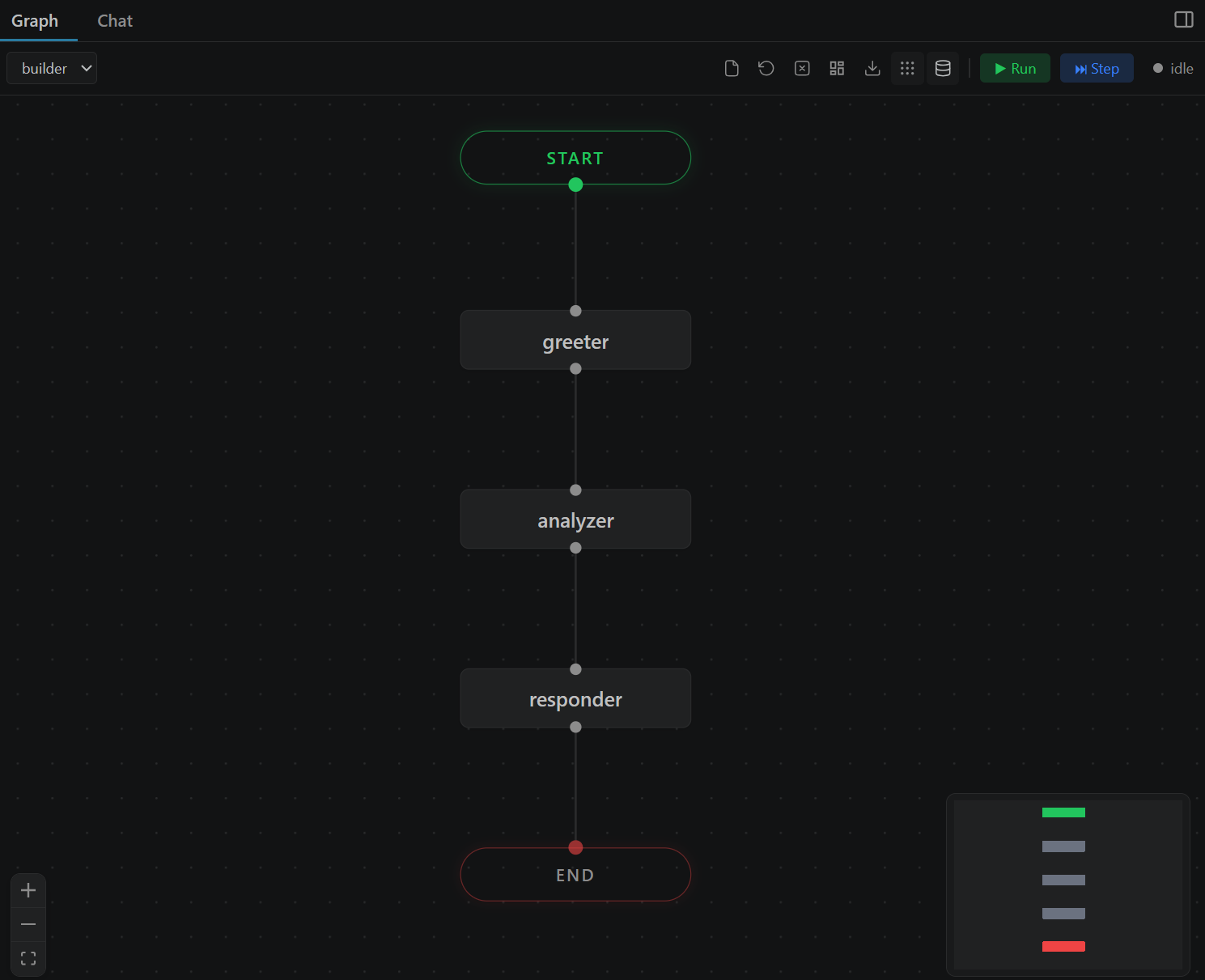
See every node, edge, conditional branch, and loop. Drag nodes, zoom in, auto-layout. The infinite canvas renders your graph exactly as LangGraph sees it.

hero-graph-view
Execution

Watch your agent
think in real time

Nodes light up as they execute. Edges animate to show data flow. You see exactly which node is running, which completed, and which errored.

hero-graph-view
Debugging

Step through
every decision

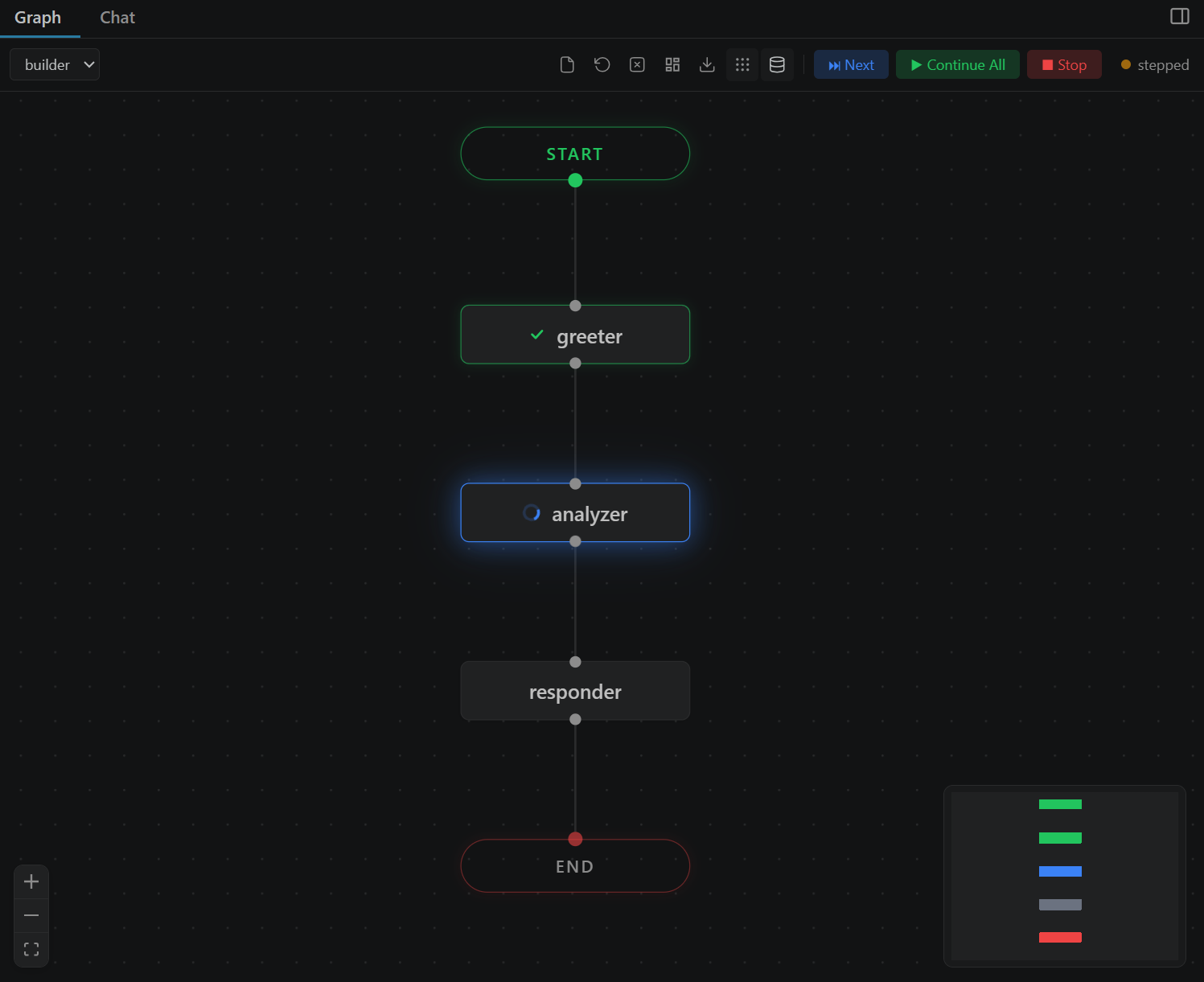
Click Step to pause after each node. Inspect the full state. Click Next to advance one step, or Continue All to let it run. Like a debugger, but for agents.

hero-graph-view
Chat

Talk to your agent
directly

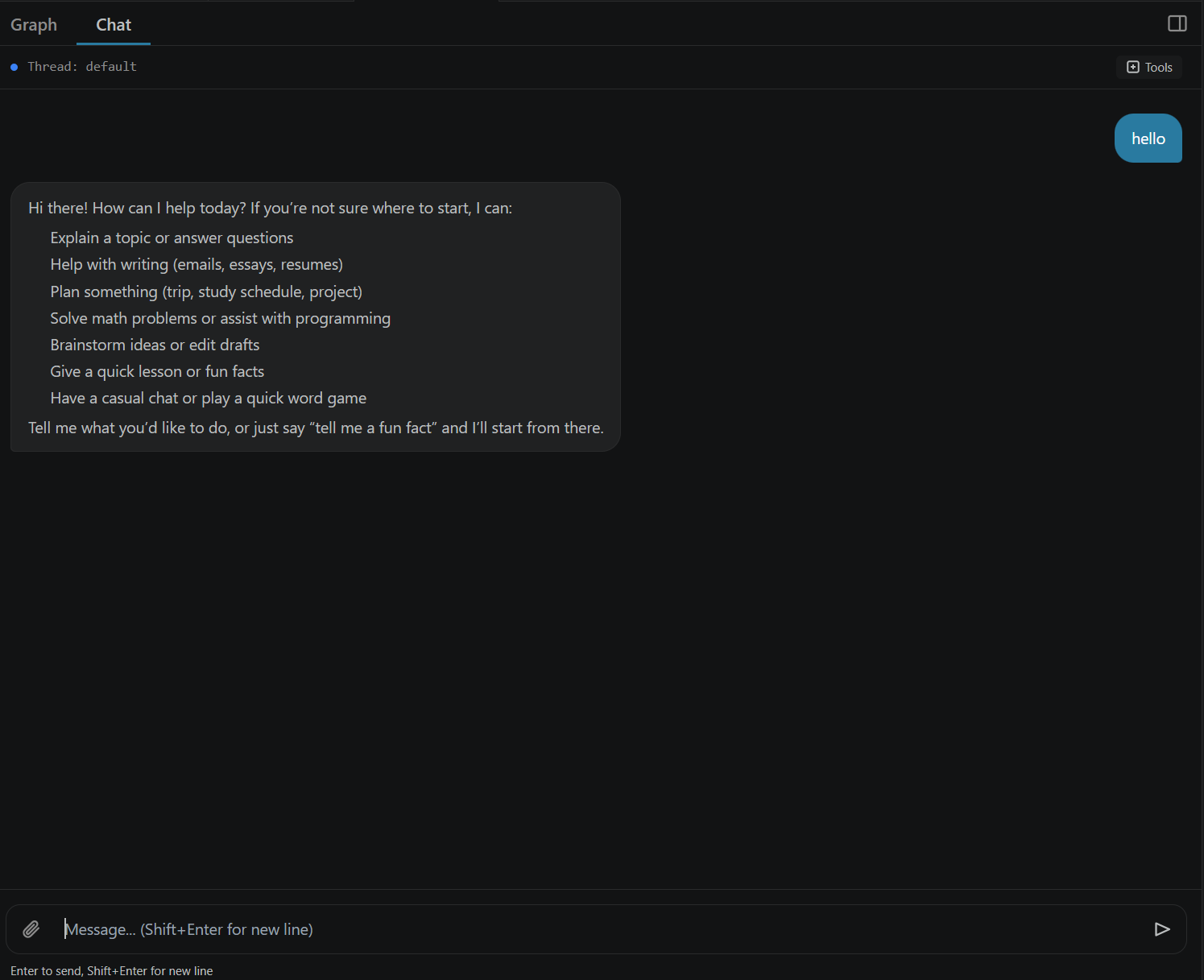
Send messages, see streaming responses, view tool calls. Attach images and files for multimodal agents. Switch between Graph and Chat views with one click.

hero-graph-view
State Inspector

Hover to see
everything

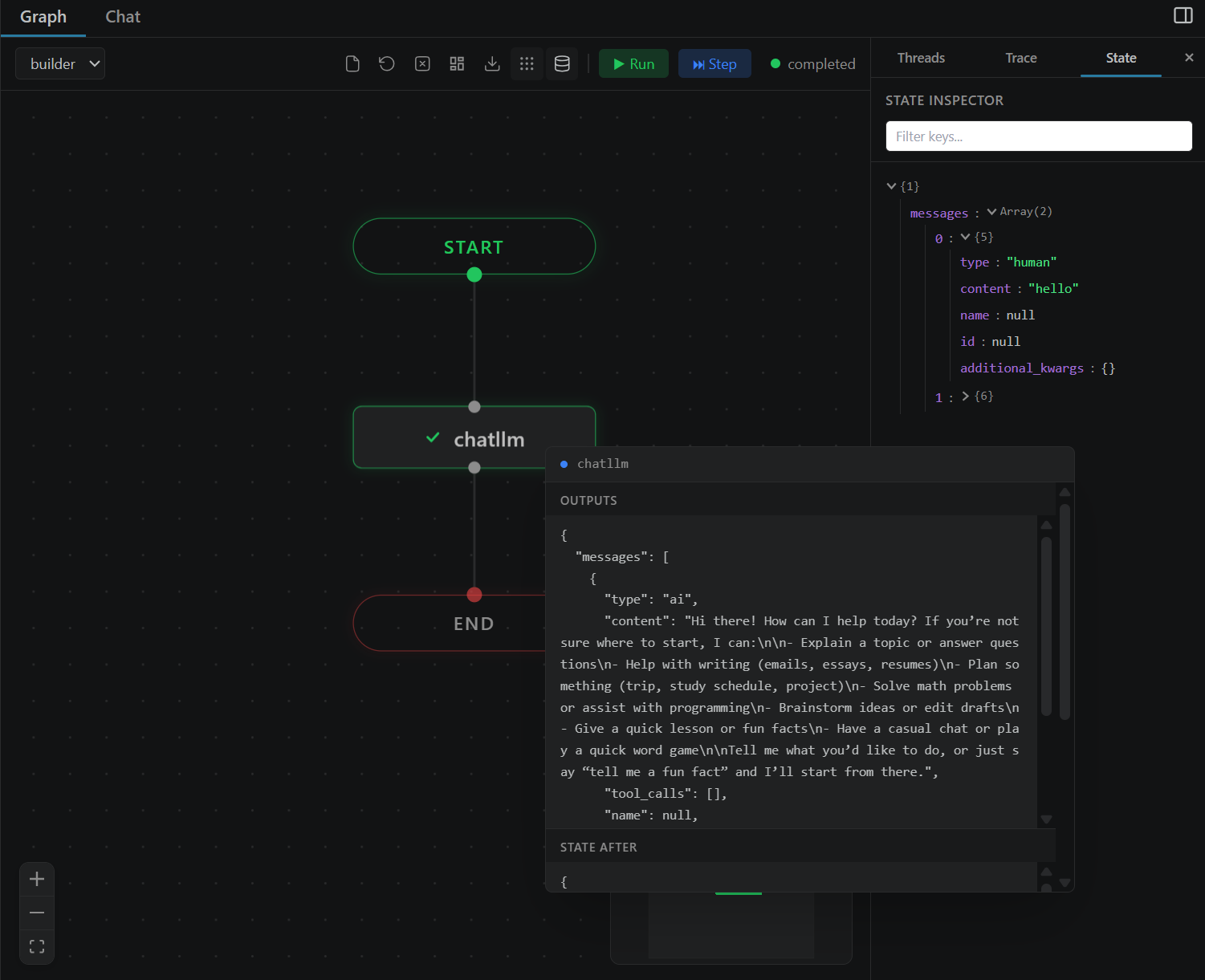
Hover any node to see the complete state snapshot at that point in execution. Scrollable, formatted, always accessible.

hero-graph-view
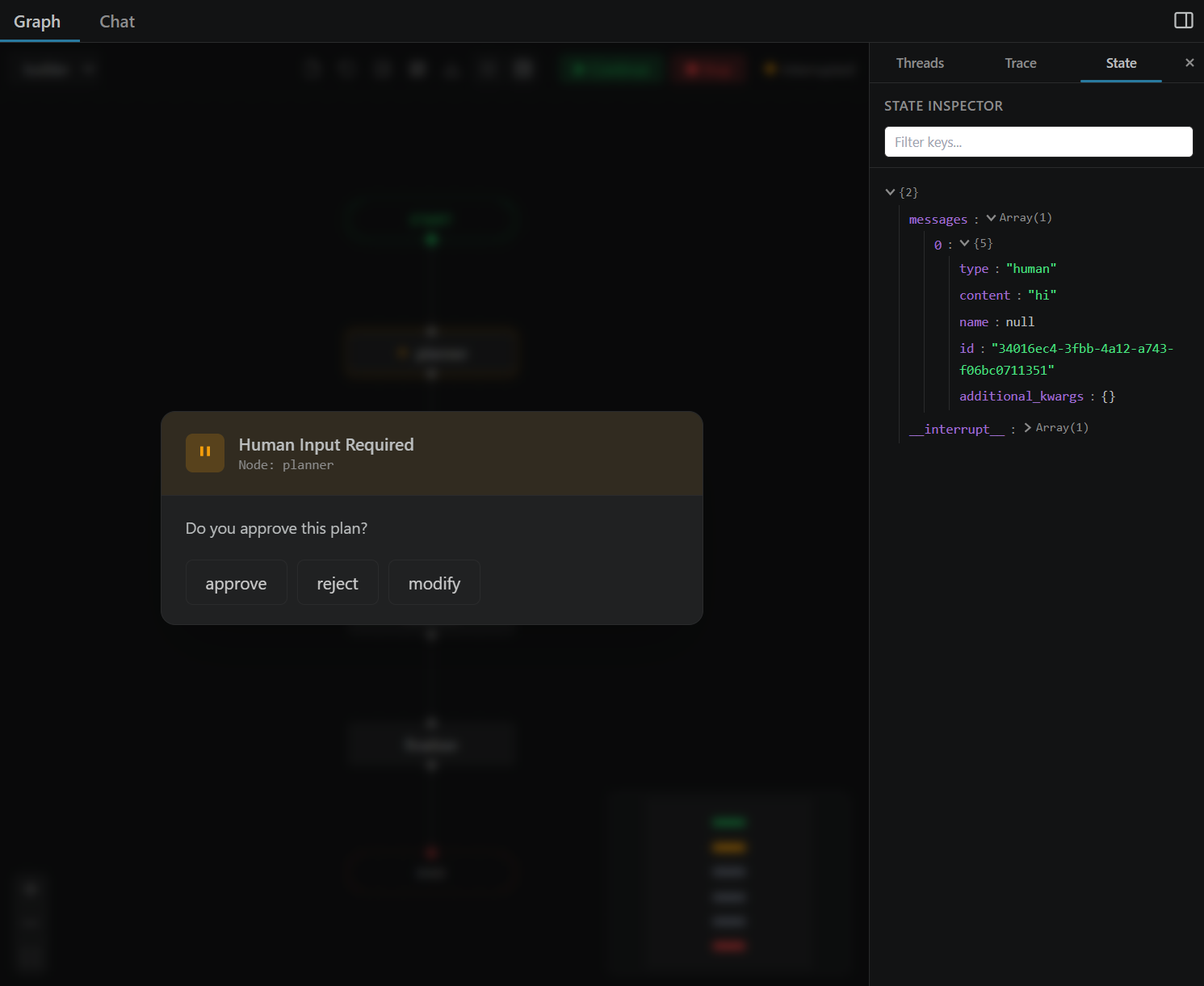
Human-in-the-Loop

Approve decisions
inline

When your agent pauses for human input, VizLang shows the interrupt right in the UI. Approve, reject, or type a response without leaving VS Code.

hero-graph-view

Three steps. That's it.

1

Install

Search "VizLang" in VS Code Extensions or install from the marketplace.

2

Open

Open any Python file with a LangGraph StateGraph. Right-click and select "Open in VizLang".

3

Run

Click Run or Step. Watch your graph execute. Inspect state. Debug visually.

Built for local development

Feature VizLang LangSmith print()
Visual graph Yes Yes No
Step-by-step debugging Yes No No
Runs locally Yes Cloud Yes
No account required Yes No Yes
State inspection Hover Click Manual
Chat interface Built-in Playground No
In your editor VS Code Browser Terminal
Free Always Freemium Yes
Open source MIT Proprietary N/A

Built in the open.
Shaped by the community.

VizLang is MIT-licensed and open source. Every line of code is on GitHub. We welcome contributions of all kinds — bug reports, feature ideas, code, docs, and examples.

🐛

Report bugs

Found something broken? Open an issue with steps to reproduce and we'll fix it.

💡

Request features

Have an idea that would make your workflow better? Start a discussion on GitHub.

🛠

Contribute code

Pick a "good first issue", fork the repo, and submit a PR. Setup takes 30 seconds.

Read the Contributing Guide

Stop debugging with print().
Start seeing your agent think.

Open source. MIT licensed. Free forever. No cloud. No accounts. No telemetry.

Install VizLang for VS Code Star on GitHub